Stripe Onboarding
Stripe Onboarding is a mandatory process to verify your identity and business details through Stripe’s KYC (Know Your Customer) requirements. Completing this process allows you to receive payments for renting out IP-Blocks to clients via the InterLIR marketplace.
Why is Stripe Onboarding Necessary?
- Ensures compliance with financial regulations and anti-fraud standards.
- Enables transactions, allowing you to list IP-Blocks for lease and receive payments.
- Facilitates subscription-based billing with clients.
- Allows payouts to your connected bank account.
Required Details for Stripe Onboarding
To complete onboarding, you will be required to submit the following:
- Personal Information
- Full Name
- Address
-
Contact Information
-
Business Information
- Organization Name
- Registration Details (e.g., Tax ID, VAT Number)
-
Business Address
-
Banking Information
- Bank Account Number for receiving payouts
When Does Stripe Onboarding Occur?
The onboarding process begins for each new Supplier who has successfully imported their Business Account and proceeds to import their first IP-Block.
During the IP-Block import workflow, after completing the first step, the Supplier is prompted to complete onboarding in Stripe.
How to Complete the Onboarding
-
Personal Link
A personalized onboarding link will be generated during the IP-Block import process. You must click the link to open Stripe's onboarding page.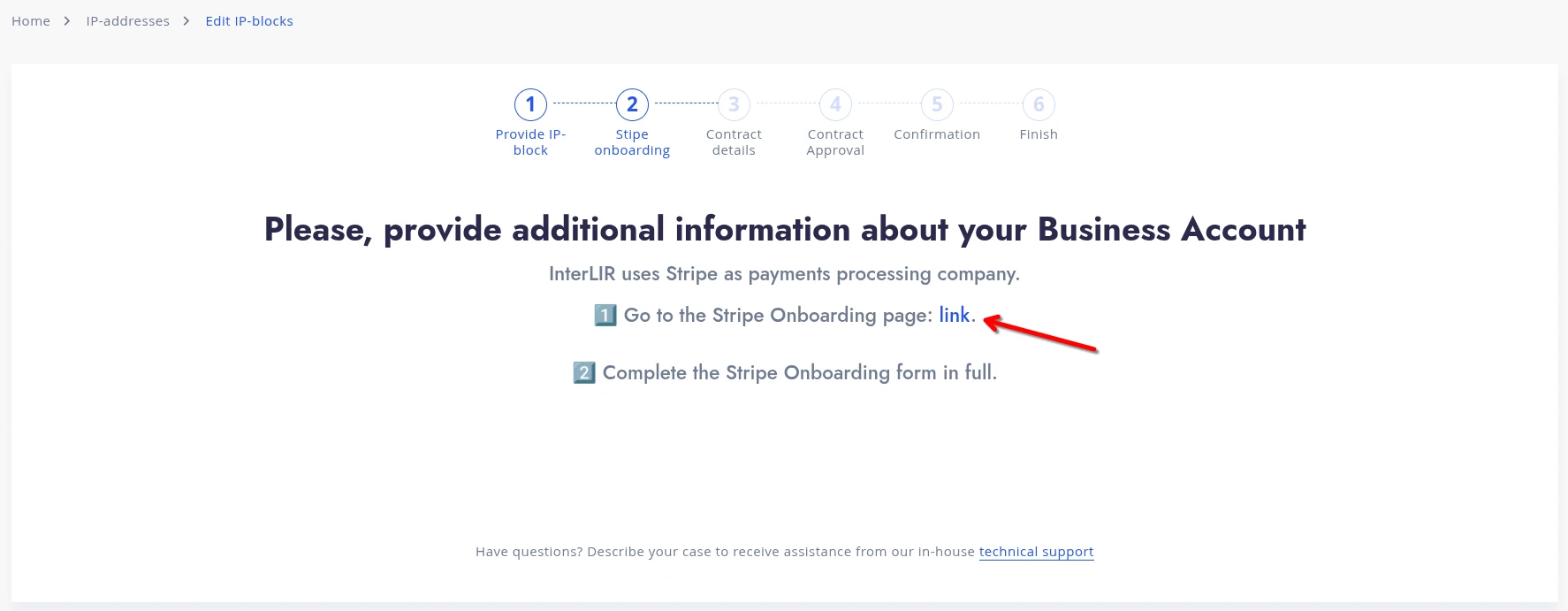
-
Fill the Forms
On the Stripe platform, fill out all the required fields in the provided forms. This includes identity, business, and bank account details.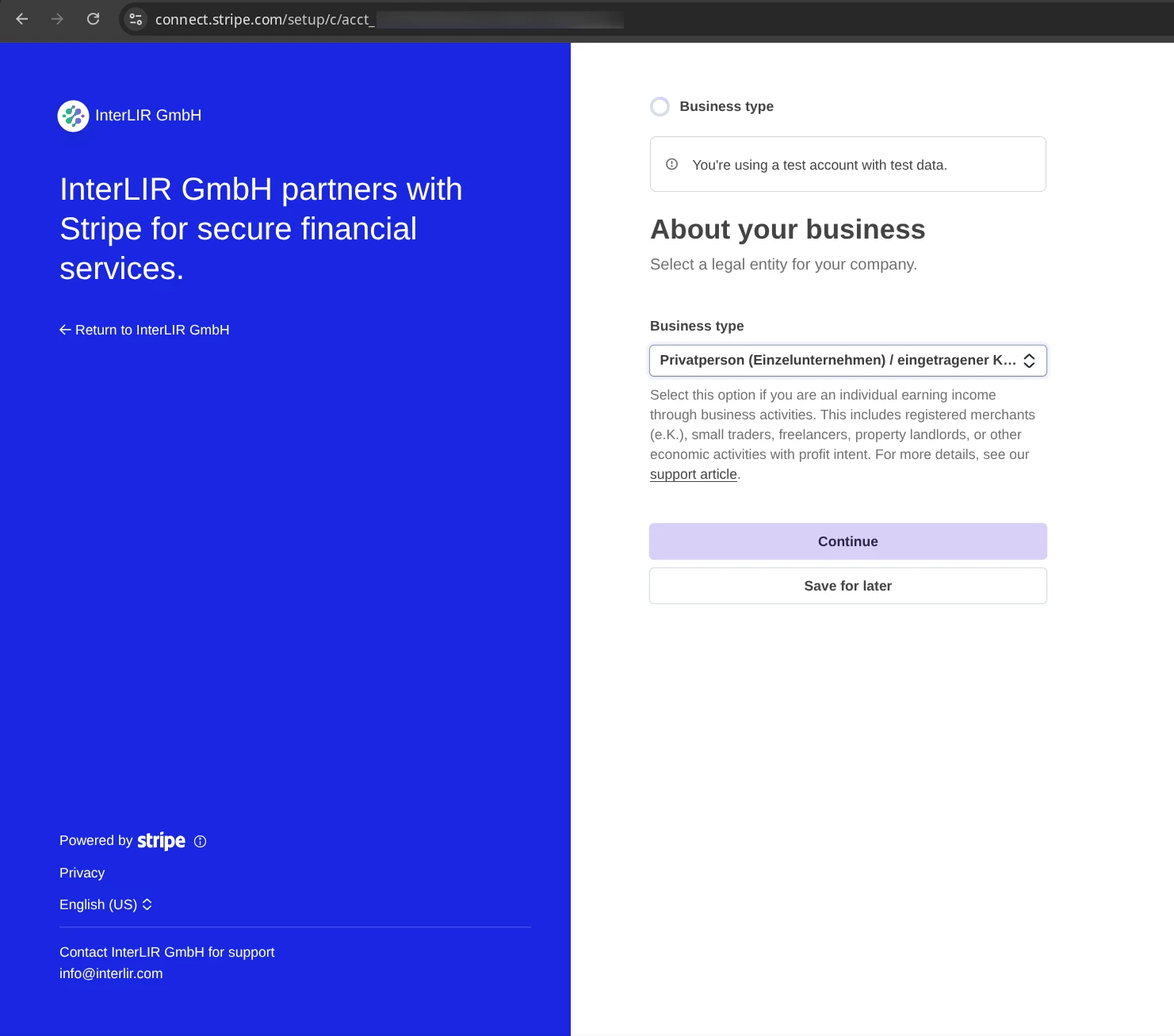
-
Automatic Redirect
After successfully completing the onboarding in Stripe, you will be redirected back to the InterLIR portal.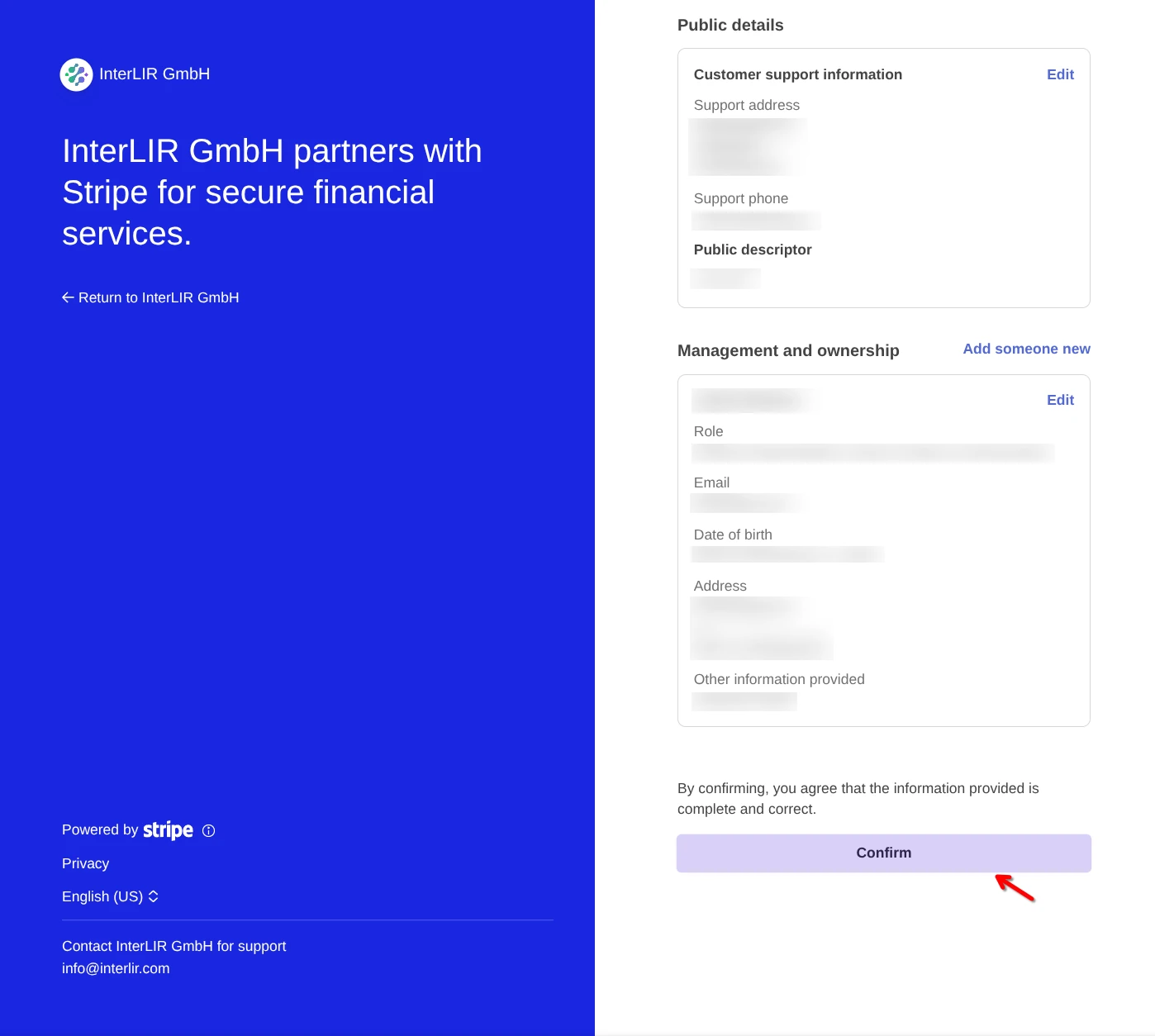
-
Continue the Import
The IP-Block import process will resume exactly where you left off, allowing you to continue importing and eventually list the IP-Block for rent.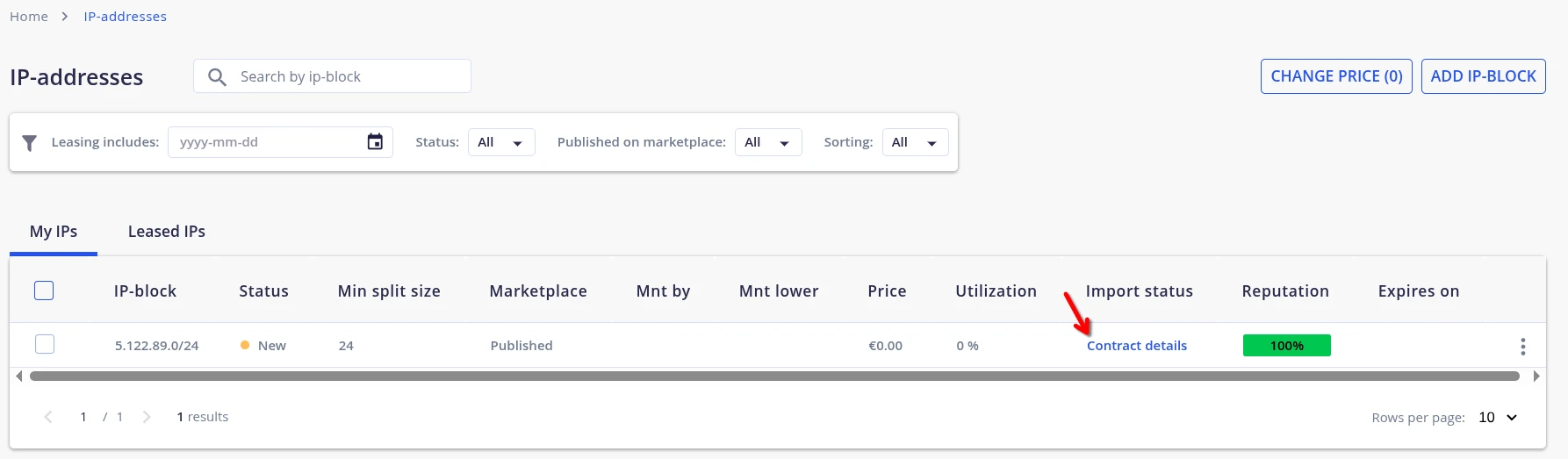
Completion
Once onboarding is completed, your Stripe Connected Account will be activated, and you will be eligible to receive client payments via InterLIR.
You will also be able to request payouts to your linked bank account after accumulating the required balance.
To request a payout, you must first add a payout method.